All your artists and deals in one table.
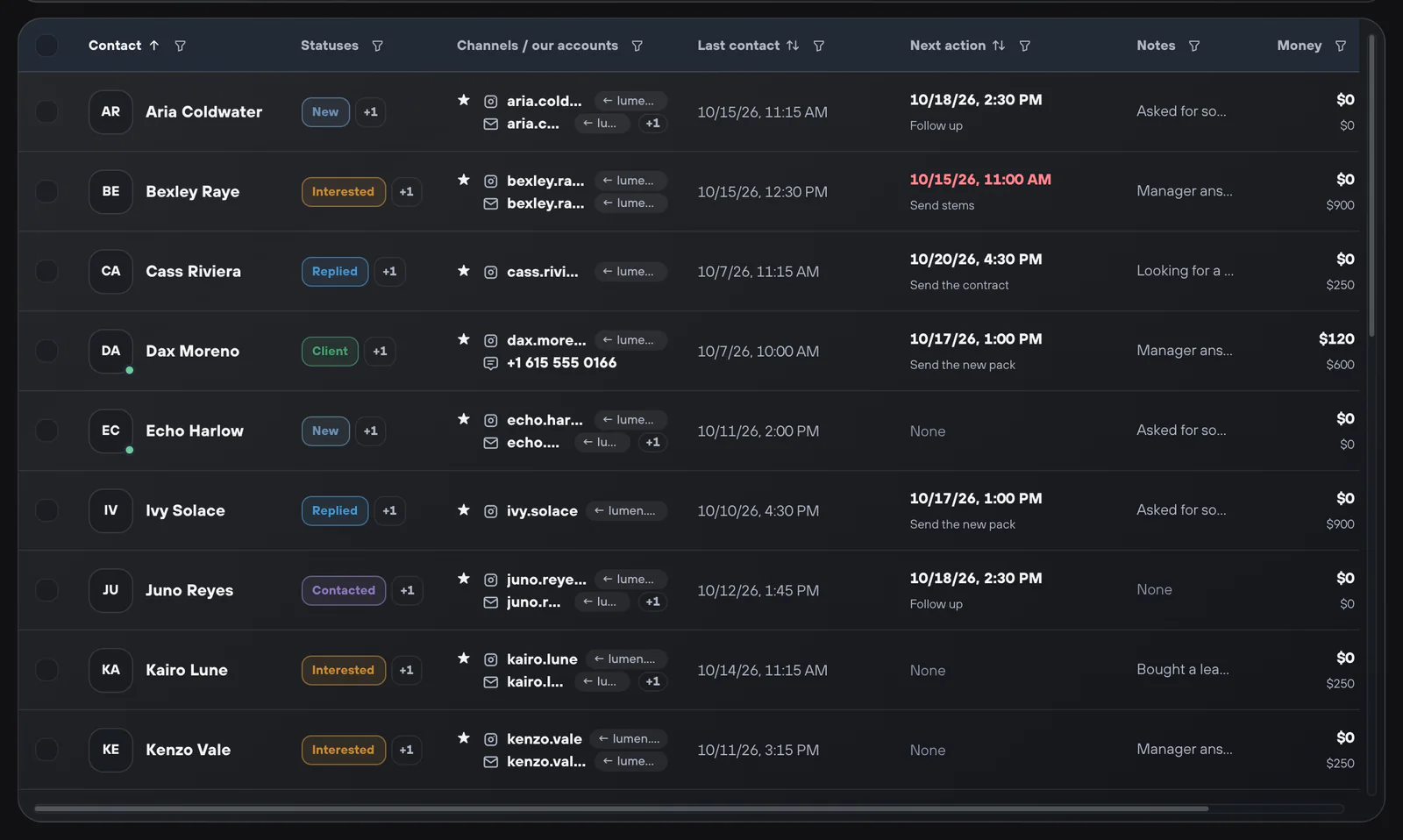
The CRM in Verse is your contact list: one table with every artist you work with. Each artist has one row with their Instagram, iMessage, WhatsApp, Discord and email. The row also shows the status, the next step, notes and how much the deal has brought in.

- Channels per contact
- Instagram, iMessage, WhatsApp, Discord, email
- Plan
- CRM table on every plan · sending from the CRM on Basic and up
- Import
- XLSX, CSV, artists found in Verse, macOS Contacts
- Storage
- Saved on your computer
Why a spreadsheet is not enough to track artists
An artist asks about a lease on Instagram. A week later, they text you on WhatsApp and then pay by email. In a spreadsheet, these are three rows. And the reminder to send the stems is only in your head. The Verse CRM puts all channels on one contact. It also shows whose next step is due.
How producers use the CRM
- 01
Add your contacts
Import XLSX or CSV, and Verse matches the columns for you. Add artists found with ReachVerse, Spotify artists with an Instagram, or macOS Contacts on a Mac. People from iMessage and WhatsApp chats go in with one click.
- 02
Set statuses and the next step
Statuses are in groups that you can rename. For example, deal stages and Temperature, which shows how interested the artist is. Each contact has a next step with a date, and notes. The Money column shows what they paid and what they could pay. Conversion shows how much of all deal money is already paid. You can filter any column and edit many contacts at once.
- 03
Send messages to the contacts you picked
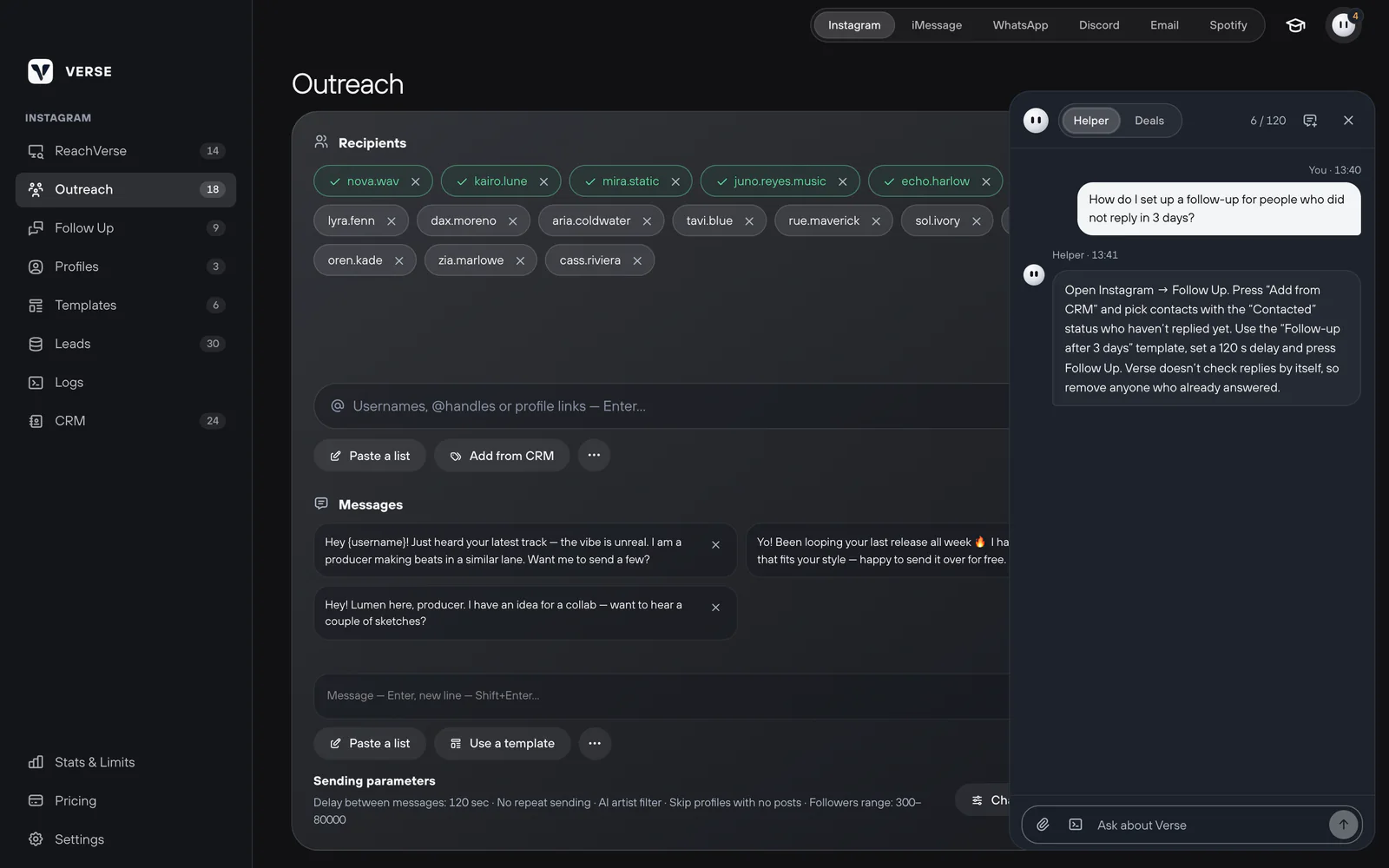
On Basic and higher, pick contacts and open New campaign. Send through one channel. Or turn on smart multi-channel sending. It uses each contact's main channel and pinned account. The preview shows who is ready and who will be skipped, and why.
- 04
Get reminders and a draft reply
CRM reminders come in the app or as system notifications. You can set quiet hours. Today's plan in the assistant lists the steps due today. In Deals mode, paste up to four chat screenshots. You get a reply for the artist and a suggested reminder.


What each contact keeps
Your account for each channel
Each channel of a contact is tied to the account you write from. So messages go from the right sender.
Needs attention
A separate tab shows contacts that need a step from you. Deleted contacts go to the trash first.
Do not contact
Mark a contact once, and sending from the CRM will always skip them.
Money for each contact
See what each artist paid and could still pay. You can edit it for many contacts at once and see which chats are worth your time.
Status after sending
When sending from the CRM ends, give the next status to everyone it reached. It takes one step.
Export any time
Export the table to XLSX or CSV when you need it outside Verse.
What to know about the CRM
- Sending from the CRM is not on Trial and Individual. The table, import and reminders are.
- The assistant changes the CRM only after you press Run. It writes draft replies, and you send them yourself.
- Deals mode requests per day: 10 on Trial, 20 Individual, 40 Basic, 60 Premium, 100 VIP.
- The CRM is stored on one computer. Use export to move it.
The short answers.
Is the CRM in every plan?
The table, import, export, statuses and reminders are on every plan, including the trial. Sending from the CRM starts at Basic.
What does shared mean here?
Shared by all channels. Instagram, iMessage, WhatsApp, Discord and email all save to the same contacts. So one artist is one row, whatever channel they answered in.
Can I import my existing spreadsheet?
Yes. XLSX and CSV import matches the columns for you. It reads CSV in UTF-8 or Windows-1251.
Does the CRM see replies from Instagram automatically?
Verse saves the messages it delivered. After an artist answers, you set the status and next step. Or you ask the assistant to do it.
What does the assistant's Deals mode do?
You paste screenshots of a chat. The assistant explains what the artist wants and writes a text you can edit and send. It also suggests a CRM reminder, but nothing changes until you press Run.