Native macOS integration
Work with iMessage through the supported macOS desktop environment.
Keep native iMessage conversations connected to the same artist leads and producer workflow you use for discovery and follow-ups.
The Verse Automate iMessage module uses native macOS system integration. It is intended for relevant, personalized conversations where you already have a legitimate contact path.
Organize the lead, message context and later follow-up in one desktop workflow instead of losing conversations across notes and separate tools.
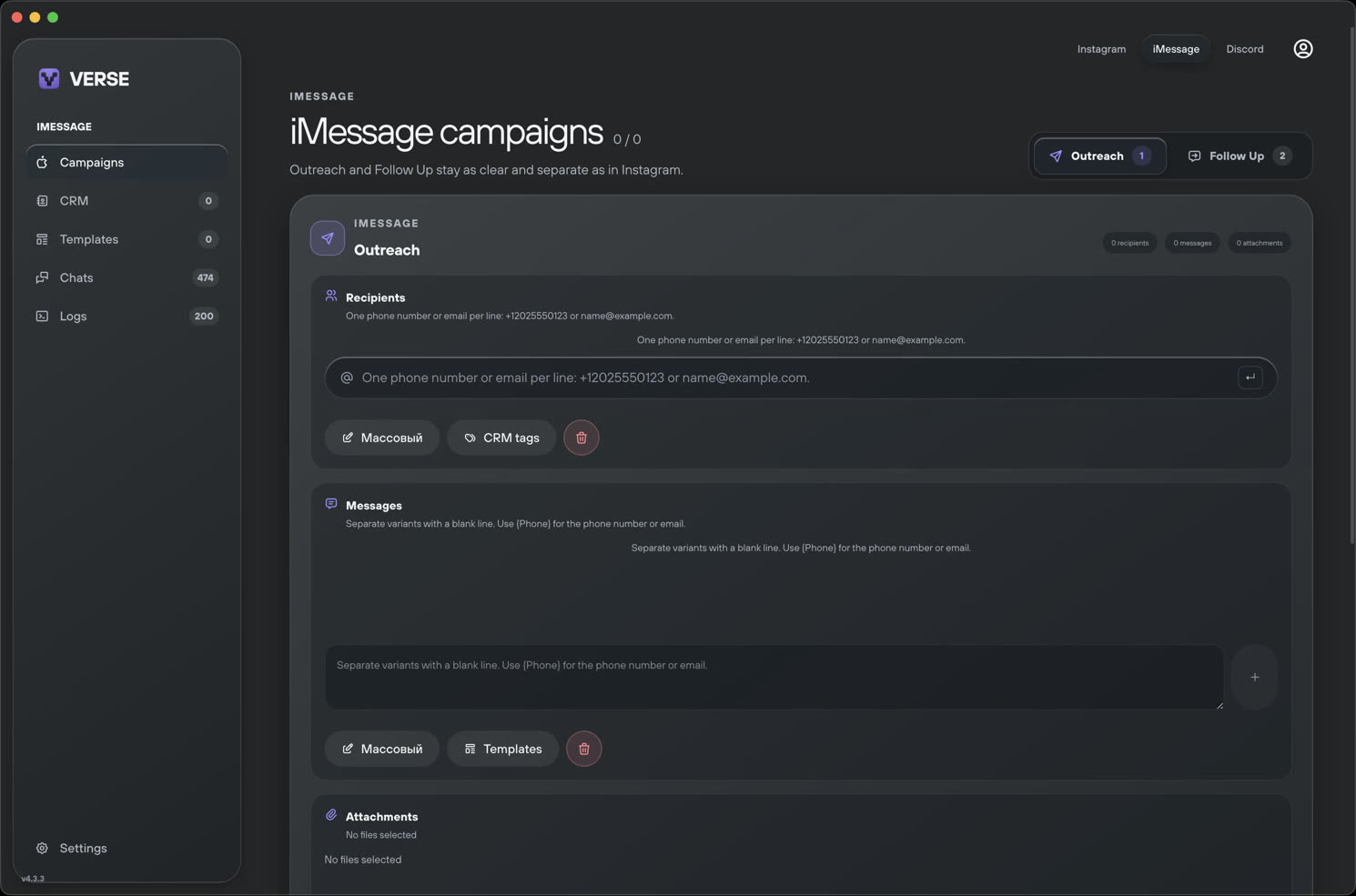
Work with iMessage through the supported macOS desktop environment.
Keep the artist and campaign context connected to each outreach step.
Plan later touches without rebuilding the history of the conversation.
Use iMessage only where you have an appropriate and lawful reason to contact the recipient.
Reference the artist and the reason your production may be useful to them.
Stop outreach when it is unwanted and keep follow-ups limited and contextual.
The module requires macOS and a working native Messages setup. Verse Automate does not provide phone-number lists and should not be used for unsolicited bulk messaging.
Yes. The iMessage module is available through native system integration on macOS.
No. iMessage is an Apple service, so the Verse iMessage module requires macOS.
No. Users are responsible for lawful contact sources and appropriate recipient relationships.