
With ten artists, you can keep everything in your head. With a hundred, things start to get lost. Artists write to you in DMs, on Discord and by email. You forget to send the pack after "yeah, send it". You forget the beat you promised for a release. You don't know which of three artists actually paid.
Each lost deal costs more than any new message. That artist was already ready to work with you.
A contact list (CRM) helps here. It is one table with every artist and deal. It has one job: for every artist, it shows where you stopped and what comes next. This post shows how to set it up so it does not become one more spreadsheet nobody fills in.
One card per artist
The main rule: one artist, one card. It does not matter how many channels they use. For example, nova.wav replied on Instagram and asked for the pack by email. Both chats belong to one person and one deal.
In the Verse shared CRM, a contact can have several channels at once: Instagram, Discord, iMessage, WhatsApp and email. The Channels / our accounts column shows the artist's address. It also shows the account you write from.
This matters if you use several Instagram profiles. The next message should come from the same account. If not, the artist sees a stranger.
You don't have to create cards by hand:
- Import from Verse → Parsing database brings in the artists that ReachVerse found;
- To CRM in the Spotify workspace adds artists who have an Instagram;
- Import XLSX / CSV loads your old spreadsheet. Verse suggests which column goes where;
- on a Mac, you can import people from the Contacts app.
When you import from this database, Verse joins duplicates. So the same handle does not become two cards.
Statuses: few and clear
The most common CRM mistake is twenty statuses. A month later, nobody understands them. To sell beats, you need only a few stages. Verse comes with a default group of six stages, and you can rename them:
| Stage | Meaning |
|---|---|
| New | Found and checked, not contacted yet |
| Contacted | First message sent |
| Replied | The artist answered, you are talking |
| Interested | Listening to beats, asking about terms |
| Client | Bought a licence or ordered a beat |
| Declined | Said no or asked you to stop writing |
A second default group is temperature: cold, warm, hot. It helps you choose who to work with first inside one stage. For example, two artists are both Interested. One asked for the exclusive price. The other said "I'll check it sometime".
If you need your own groups, like Source or Deal type, add them under Configure statuses. Each group can allow one status or several. Keep one rule: if a status does not change what you do, you do not need it.
Next action: the most important column
The status shows where the artist is now. Next action shows what you will do and when. This column is the difference between a working CRM and a simple contact list.
A good next action is clear and has a date:
- "Oct 18, 12:00: send the link to the 3-beat pack";
- "a week after the release: ask about a beat for the second single";
- "Friday: remind about the lease payment".
A bad one is "write", "follow up" or "later".

When the time comes, Verse reminds you. You get an in-app notification, or a system one if the window is minimised. Turn it on under Settings → CRM reminders. There you can also set Quiet hours, so reminders don't come at night.
The Needs attention tab collects everyone due today or overdue. The column filter has Today, Overdue and Scheduled.
Start one rule on day one. Every artist in Replied or Interested always has a next action. Without one, the deal stops moving. You remember it only when the artist buys from another producer.
Money: earned and potential
The Money column has two fields. Earned is what the artist has already paid. Potential is what you expect to get. When a price or licence type comes up in the chat, write the amount in.
The top of the CRM shows totals for both fields. It also shows what share of the potential was paid. After a couple of months, you get an honest picture. You see how much money sits in open conversations. You also see how much of the potential turns into payment.
Sometimes the potential is large, but the earned number is small. Then look first at how you close conversations. You may not need more artists yet.
Notes
Notes keep what a status can't:
- which beats you already sent, with tempo and title;
- which licence you talked about and at what price;
- the artist's deadlines: "release Nov 14, needs the beat by the 1st";
- what you agreed about changes to the beat.
A month from now, you won't remember which of fifteen beats they liked. So write it down today.
Sending messages from the CRM
On Basic, Premium and VIP, you can send messages to many contacts from the CRM. First, pick contacts by status and tags. Then pick one channel or Smart multi-dispatch (by priority), which sends through several channels at once. Each contact gets the message on their main channel. It comes from the account linked to that contact.
Before you start, Verse shows who is Ready to send and who Will be skipped, and why. Contacts marked Do not contact are always skipped.
After sending, you can Assign a status to sent contacts. For example, move everyone from New to Contacted. More in Sending messages from the CRM.
The assistant for hard replies
Sometimes you don't know what to answer. The artist asks for a lower price, goes quiet after "send the price", or asks about rights. For this, Verse has an assistant with a Deals mode.
Paste up to four screenshots of the chat or describe the situation. The assistant suggests a ready Text for the artist and explains why. It can also set a reminder in the CRM.
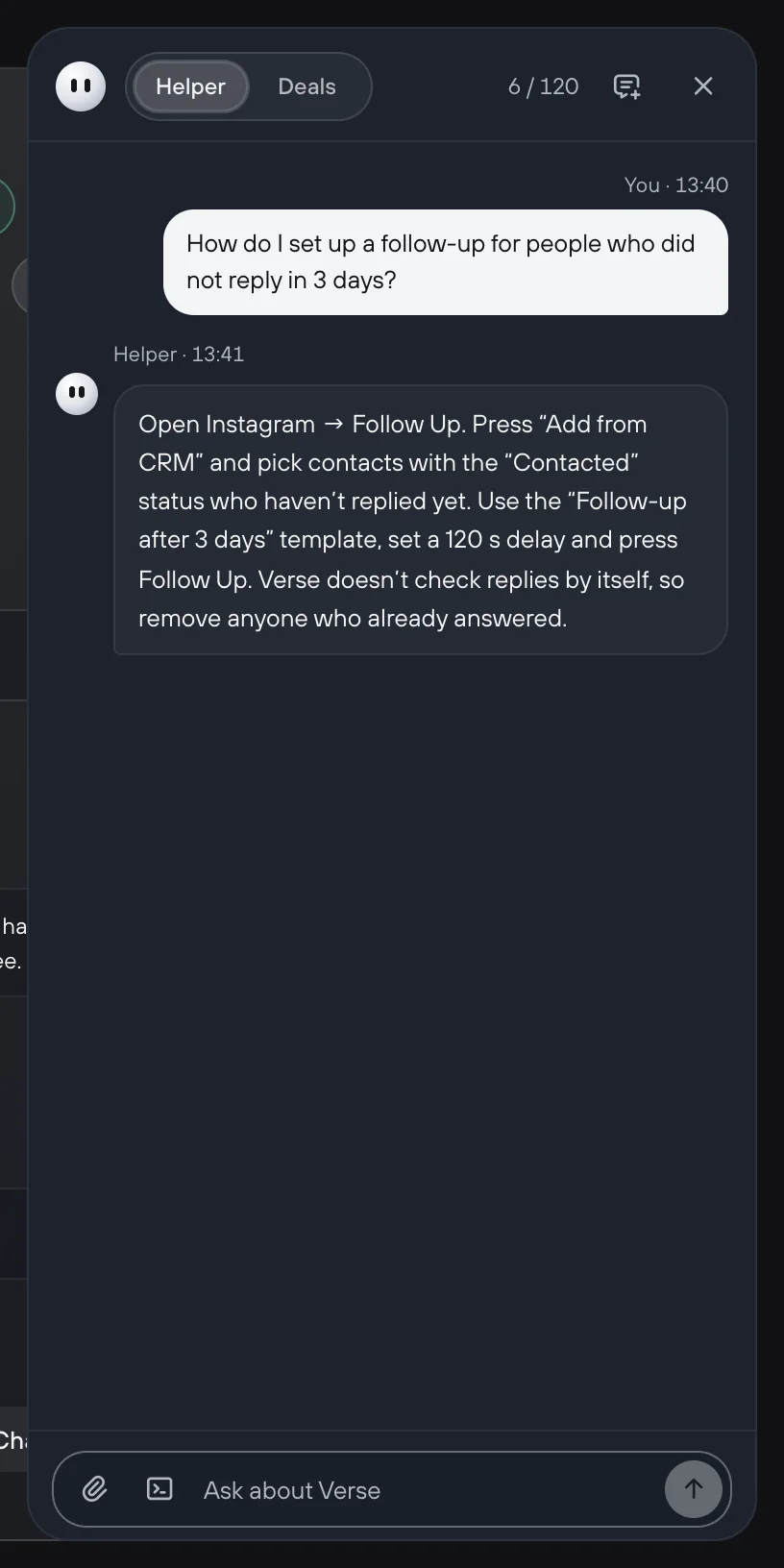
Read the assistant's text and change it to the way you talk. The artist is talking to you, so the reply should sound like you. More in Assistant and reminders.
A 20-minute check once a week
A CRM only works if you look at it often. Once a week, go through it like this:
- Open Needs attention and clear everything overdue: write to the artist, or move the date.
- Filter Interested. Check that every artist has a next action.
- Find artists in Contacted with no reply for over a week. Decide: write again or wait. To learn how to write the second message, read Writing again to artists who did not reply.
- Update Potential for new conversations.
A producer needs a CRM so that no artist gets lost between channels. This matters most for artists who already said "yeah, send it". For this, you need one card, a few stages, a next step with a date and honest money numbers. You do not need any extra admin work. The full guide to the Verse shared CRM is in Shared CRM.