Send WhatsApp messages to artists from your computer.
Verse sends your text and beats to a list of WhatsApp numbers. It works through WhatsApp Web in a separate window, at the pace you set. Replies come to Chats. There you can answer and add the artist to the CRM. The CRM is your list of every artist and deal.

- Platform
- macOS and Windows
- Connection
- WhatsApp Web in VerseAnty, the Verse browser; QR sign-in
- Plan
- Trial 20 · Individual 50 · Basic 150 · Premium 1,200 · VIP 1,800 numbers a month
- Daily limit
- 60 numbers a day on every plan
Why sending beats on WhatsApp by hand is slow
By hand, you save the contact, open the chat, attach the beat, type the text and repeat. Verse takes a list of numbers with names. It sends files and text to each one, with a random pause. It shows which messages were delivered and read.
How WhatsApp sending works
- 01
Connect WhatsApp with a QR code
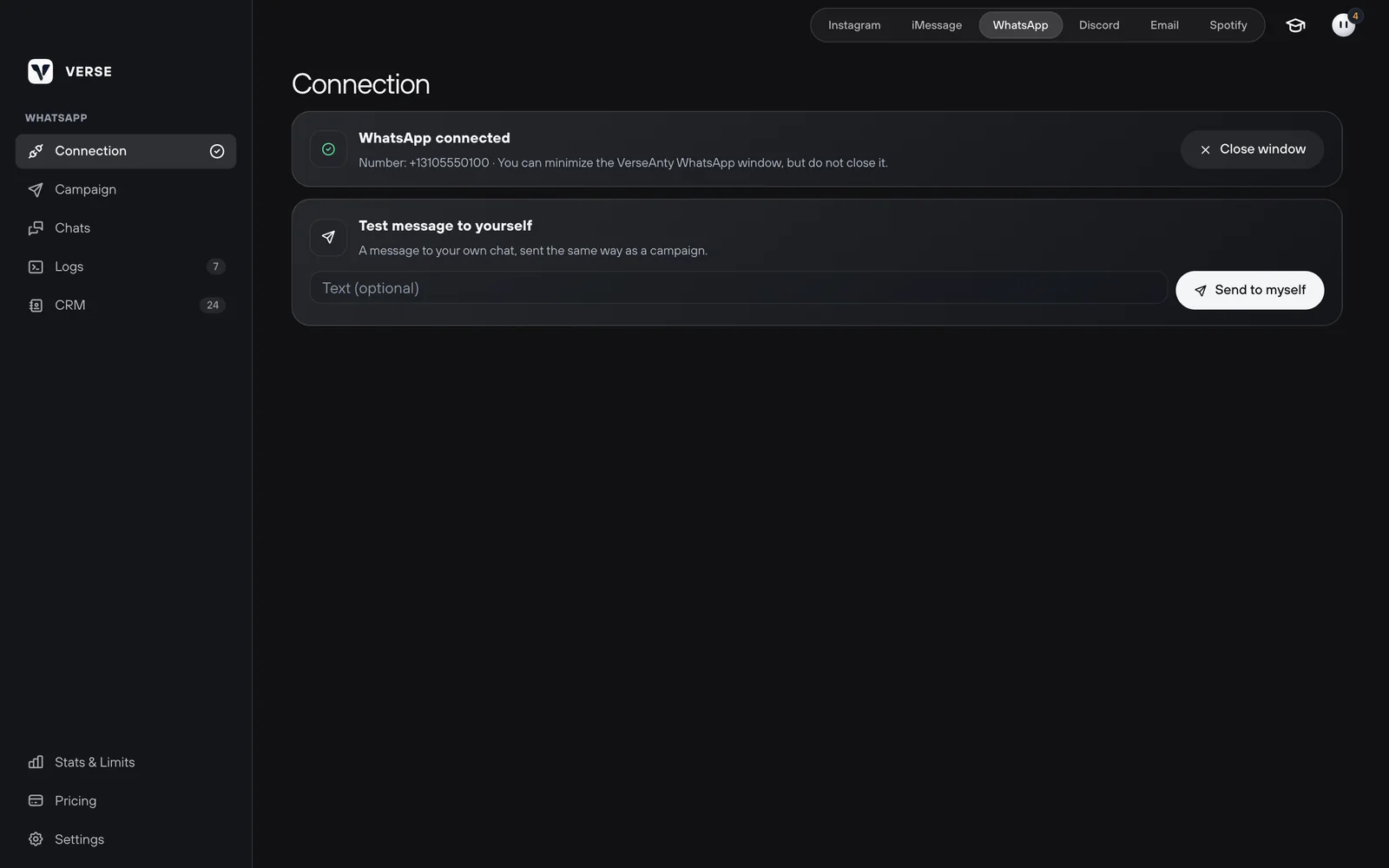
Click Connect WhatsApp. WhatsApp Web opens in a separate VerseAnty window. VerseAnty is the browser built into Verse. On your phone, go to Settings, Linked devices, Link a device and scan the code. You stay signed in. Test message to yourself checks that sending works.
- 02
Add numbers, text and files
Enter numbers in international format. You can add a name after a comma, or click Pick from CRM. Each person gets one random text version, and {name} puts in their name. Attach up to 10 files of 100 MB each. The files arrive first, and the text right after.
- 03
Set the pace and start
Verse picks a random pause between numbers from your range. The default is 60–180 seconds. At most per day is your own limit, 40 by default. Verse never writes to the same number twice unless you allow it. You can pause, continue or stop at any time.
- 04
Answer in Chats
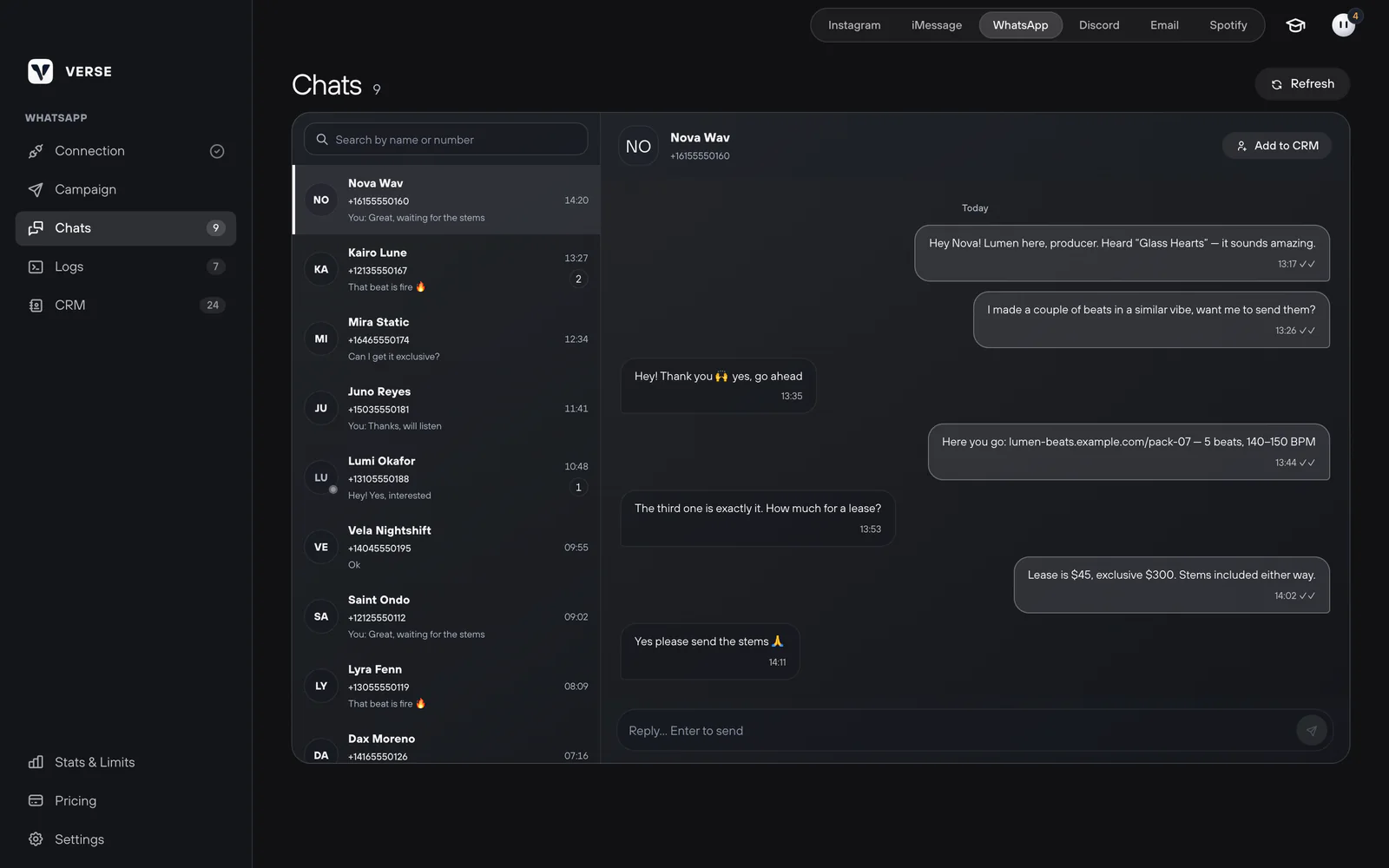
Chats shows your personal WhatsApp chats. Reply from Verse and add the artist to the CRM in one click. Replies from Chats do not count toward your plan limit.


Useful details for WhatsApp
Delivery status
Sent, Delivered and Read match the ticks in WhatsApp. Not confirmed means the delivery tick did not come. Numbers without WhatsApp get their own mark.
No repeats by default
Verse skips a number that already got a message. To write again, turn on sending to people you already contacted.
Recipients from the CRM
Pick artists with a WhatsApp number from the shared CRM. You do not need to paste a list.
One window, one session
If WhatsApp Web is open somewhere else, Verse offers Use here. Then it moves WhatsApp into its own window.
Limits you can see
Your plan counts numbers per month, and every plan allows up to 60 a day. Stats & Limits shows what is left.
What to know before you start
- WhatsApp works in Verse on macOS and Windows. You need Verse 5.4.1 or newer for Windows.
- The VerseAnty WhatsApp window must stay open while sending. You can minimize it.
- Verse works through WhatsApp Web. When WhatsApp changes it, some status checks may stop working for a while.
- Nobody can promise that WhatsApp will not ban a number that writes to strangers.
The short answers.
Does WhatsApp sending work on Windows?
Yes. WhatsApp works the same way on Windows and on a Mac. On Windows, update Verse to version 5.4.1 or newer.
Which plan do I need?
WhatsApp is on every plan, and the trial has 20 numbers. Per month: 50 on Individual, 150 on Basic, 1,200 on Premium and 1,800 on VIP. It is never more than 60 a day.
Can I send beats?
Yes. Up to 10 files of 100 MB each: a beat, a demo, cover art. The files arrive first, then the text.
Will my number get banned?
WhatsApp limits numbers that quickly write to strangers, and nobody can promise it won't happen. Keep the pauses and start small on a new number. Write only to artists who fit your offer.
Do I have to keep the window open?
Yes, Verse sends through that window, but you can minimize it. Close window disconnects WhatsApp, and you can connect again in one click.